Latency problem with audacity, solution

Miembro
Publicaciones: 2
Registrado: 16 nov 2014
Hi,
didn't find a thread about that problem. So I started a new one.
On my first tracks uploaded here I had some problems with latency. First I thought it was my fault and I got wrong rhythm in my head. I was always a little off-beat. But it is a software and hardware problem. Because recording needs some time (in milliseconds) until all data is on the hard drive, the recorded track seems to be a little bit moved in relation to the track I'm jamming with.
In Apples Garageband I find no way to correct this. But it works in Audacity. Here you find a tutorial on how to measure the latency of your system (depending on your setup of micro, headphones etc.) and to correct it: [url=http://manual.audacityteam.org/man/Latency_Test] click here [/url]
For german speaking users I made a screencast available at youtube:
[url=http://youtu.be/_c5EuHwd3fM] Guckst Du :-) [/url]
Hope it helps someone.
Jörg
didn't find a thread about that problem. So I started a new one.
On my first tracks uploaded here I had some problems with latency. First I thought it was my fault and I got wrong rhythm in my head. I was always a little off-beat. But it is a software and hardware problem. Because recording needs some time (in milliseconds) until all data is on the hard drive, the recorded track seems to be a little bit moved in relation to the track I'm jamming with.
In Apples Garageband I find no way to correct this. But it works in Audacity. Here you find a tutorial on how to measure the latency of your system (depending on your setup of micro, headphones etc.) and to correct it: [url=http://manual.audacityteam.org/man/Latency_Test] click here [/url]
For german speaking users I made a screencast available at youtube:
[url=http://youtu.be/_c5EuHwd3fM] Guckst Du :-) [/url]
Hope it helps someone.
Jörg

Miembro
Publicaciones: 4
Registrado: 23 sept 2016
I discovered that you need to use USB 2.0 ports to overcome issues with latency in Audacity, at least in Win 7. You can also change the latency offsets but I've had mixed luck with this.
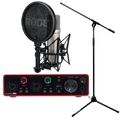
Focusrite Scarlett 2i2 3rd NT1A Bundle
Rode NT1-A Complete Vocal Recording

299 €
iThis widget links to Thomann, our affiliate partner. We may receive a commission when you purchase a product there.
Visitar Tienda

Miembro
Publicaciones: 374
Registrado: 25 mar 2012
Latency should normally not be a problem since a correct installed audio driver reports the latency to the DAW which compensates by automatically shifting the track by the correct amount. But there are situations where there can be issues:
You use software monitoring and/or are using realtime effects. In this case is is best to find a workaround with preferably analogue monitoring
Your audio driver reports the wrong value. This can be fixed by making a loopback recording to measure the latency and tweak it manually.
Another way that works sometimes is tweaking buffer size. Normally decreasing buffer size should decrease latency but it does also increase hardware load so try both. And face the facts, NO consumer operating system (WIN MAC or LINUX) is designed to be a real time systems and will never be.
You use software monitoring and/or are using realtime effects. In this case is is best to find a workaround with preferably analogue monitoring
Your audio driver reports the wrong value. This can be fixed by making a loopback recording to measure the latency and tweak it manually.
Another way that works sometimes is tweaking buffer size. Normally decreasing buffer size should decrease latency but it does also increase hardware load so try both. And face the facts, NO consumer operating system (WIN MAC or LINUX) is designed to be a real time systems and will never be.
Las sesiones de jam en línea de wikiloops son posibles con el amable
apoyo de:

Thank you for allowing musicians across the continent the chance to connect!
shaneelks