downloading with a mac

Miembro
Publicaciones: 5
Registrado: 11 oct 2013
Hi all you WIKIS
I am new to WIKILOOPS and can hardly believe what a wonderful thing this is.
Up until I have only been listening to the great jams,but slowly but surely
I am finding the courage to maybe sing along.
I have the problem that I can not download Dick sent me a suggestion (thanks again Dick)
but I still does not work. are there any Mac users that can help me .
Thanks huntemann
I am new to WIKILOOPS and can hardly believe what a wonderful thing this is.
Up until I have only been listening to the great jams,but slowly but surely
I am finding the courage to maybe sing along.
I have the problem that I can not download Dick sent me a suggestion (thanks again Dick)
but I still does not work. are there any Mac users that can help me .
Thanks huntemann

Miembro
Publicaciones: 1
Registrado: 19 nov 2013
Hi - Did you get it worked out
I had a hell of a time at first figuring out how to load into Logic pro.
is the file not loading onto the mac or into logic\garage?
I had a hell of a time at first figuring out how to load into Logic pro.
is the file not loading onto the mac or into logic\garage?
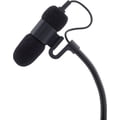
the t.bone Ovid System CC 100
Condenser Clip Microphone for Ovid System

49 €
iThis widget links to Thomann, our affiliate partner. We may receive a commission when you purchase a product there.
Visitar Tienda

SUPPORTER
Publicaciones: 2977
Registrado: 30 dic 2010
lol, looks like I need to do something about the avatar dimensions ... I dont use mac myself, so I'm of no use here - sorry ...
edit: bug fixed :)
edit: bug fixed :)

Miembro
Publicaciones: 90
Registrado: 5 ene 2014
Hi Huntemann & guys..
i'm on the same boat as you & so far i've been circumventing this by making a screen recording using Screenflick - it costs around 29 dollars & is VERY easy to use
there are a number of equivalent programs on the App Store, many are free, others cost around 2 to 6€ but although they do basically the same i stuck to the one i already had & have no experience with them but they should be fine - the essential feature is their ability to export/convert the video file to audio in a compatible format
just write ''screen recording tools'' in the search box on the upper right corner & these will come up :
http://www.flickr.com/photos/13706825@N03/11856083024/
the way i do it is i record a small portion of the player in the webpage ( faster, smaller file... ) when done i name it & save…
then all you need to do is right click on it & open it w/ Quicktime ( i use Pro because i had it but regular Quicktime WILL work fine.. ) & going to ''File'' in the Menu Bar export it as audio to my Desktop
open GarageBand, choose ''New Project'' & drag the audio file inside the window & it's done - you can start adding tracks, recording, editing, etc….
my guess being that Logic will behave the same way, at worst you have to import the file from the menu bar
when done recording/editing, etc… then you select ''Share'' -> ''Send Song to iTunes'' from GarageBand's Menu Bar - in a couple of seconds it will begin playing in iTunes
in iTunes i right click on it & select ''Create MP3 Version'', it takes a couple of seconds & then drag that out to my Desktop & use it to upload - i then erase it from iTunes to avoid being left w/ tons of duplicate files after a while..
trust me, it sounds VERY convoluted but in reality it takes a couple of minutes per file & is much faster to do it all than describing it here !!….LOL…
still i'll be looking into other easier ways to do it & will post back in the Forum - at this point i can't tell if this is a limitation of Safari or the OS itself, my guess being Safari
what OS version are you using by the way ?
hope this can help you some, cheers
Nuno
i'm on the same boat as you & so far i've been circumventing this by making a screen recording using Screenflick - it costs around 29 dollars & is VERY easy to use
there are a number of equivalent programs on the App Store, many are free, others cost around 2 to 6€ but although they do basically the same i stuck to the one i already had & have no experience with them but they should be fine - the essential feature is their ability to export/convert the video file to audio in a compatible format
just write ''screen recording tools'' in the search box on the upper right corner & these will come up :
http://www.flickr.com/photos/13706825@N03/11856083024/
the way i do it is i record a small portion of the player in the webpage ( faster, smaller file... ) when done i name it & save…
then all you need to do is right click on it & open it w/ Quicktime ( i use Pro because i had it but regular Quicktime WILL work fine.. ) & going to ''File'' in the Menu Bar export it as audio to my Desktop
open GarageBand, choose ''New Project'' & drag the audio file inside the window & it's done - you can start adding tracks, recording, editing, etc….
my guess being that Logic will behave the same way, at worst you have to import the file from the menu bar
when done recording/editing, etc… then you select ''Share'' -> ''Send Song to iTunes'' from GarageBand's Menu Bar - in a couple of seconds it will begin playing in iTunes
in iTunes i right click on it & select ''Create MP3 Version'', it takes a couple of seconds & then drag that out to my Desktop & use it to upload - i then erase it from iTunes to avoid being left w/ tons of duplicate files after a while..
trust me, it sounds VERY convoluted but in reality it takes a couple of minutes per file & is much faster to do it all than describing it here !!….LOL…
still i'll be looking into other easier ways to do it & will post back in the Forum - at this point i can't tell if this is a limitation of Safari or the OS itself, my guess being Safari
what OS version are you using by the way ?
hope this can help you some, cheers
Nuno
Miembro
Publicaciones: 90
Registrado: 5 ene 2014
hi guys
me again - just to post a link to the solution to this problem - i posted it on a new thread so perhaps more Mac users might be able to spot it
enjoy !! ;-)
http://www.wikiloops.com/forum/viewthread.php?thread_id=459
me again - just to post a link to the solution to this problem - i posted it on a new thread so perhaps more Mac users might be able to spot it
enjoy !! ;-)
http://www.wikiloops.com/forum/viewthread.php?thread_id=459
Las sesiones de jam en línea de wikiloops son posibles con el amable
apoyo de:

merci à tous de bien vouloir soutenir wikiloops en devenant membre supporter afin que ce formidable site reste libre et indépendant
wikibeb