invalid ID3 file HelPPPP

SUPPORTER
Publicaciones: 215
Registrado: 29 abr 2016
I for manny years I used music maker. But now I have A probleme after installing music maker2015 premium on my new upgraded computer I am very disepointed because it won"t impored any wikiloops mp3 files any more. That meens also that I lost all my original files of wikiloops because they contain the mp3 that I jammed on. I don't have the old program any more so I can't Install it again. For along time I had the newer versie on my computer but did'Nt use it because my computer was to slow. So never tried is
is there any body how now if it is possible to edit an Invalid ID3 mp3 file I dowloaded an editer but cound't find any thing.
So I tried to convert it to A wav file and then it say now PCM file now I have a good working computer and no wikioops files
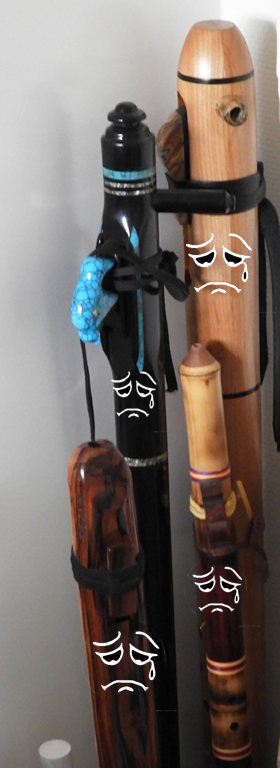
Navota adjuntó la siguiente imagen:
Editado por Navota el 2 de octubre de 2018, 8:41
is there any body how now if it is possible to edit an Invalid ID3 mp3 file I dowloaded an editer but cound't find any thing.
So I tried to convert it to A wav file and then it say now PCM file now I have a good working computer and no wikioops files
Navota adjuntó la siguiente imagen:
Editado por Navota el 2 de octubre de 2018, 8:41

SUPPORTER
Publicaciones: 2144
Registrado: 27 sept 2014
Hey Navota, I had a quick google search and found this, apparently you are not the only one. Maybe this will solve your problem:
https://www.magix.info/us/forum/can-t-import-mp3-files-to-my-music-maker-premium--1197316/
SOLUTION:
AFTER you have it installed, and updated and have fought the Magix account login and activation processes...
In the very upper right corner, you should see the "Store" tab. That's where there is a drop down that I believe is what @gman777 referenced. It starts by saying "More Soundpools" but you change that to "More features"
Then you get bunch of things to buy. Yep. Just like an in-app purchase on your phone/tablet.
One of them says "More Tracks & Formats" -- go through the process of buying this (it may use a credit on your MAGIX account automatically if you bought it in the promo) and that will then allow you to not only see the mp3 files in the File Browser tab/panel, but you can then also drag/drop them from a Windows folder onto the mixer.
Frustrating and convoluted, yes, I agree. It would have been nice if it just prompted you to "buy" the feature the first time you dropped a file.
https://www.magix.info/us/forum/can-t-import-mp3-files-to-my-music-maker-premium--1197316/
SOLUTION:
AFTER you have it installed, and updated and have fought the Magix account login and activation processes...
In the very upper right corner, you should see the "Store" tab. That's where there is a drop down that I believe is what @gman777 referenced. It starts by saying "More Soundpools" but you change that to "More features"
Then you get bunch of things to buy. Yep. Just like an in-app purchase on your phone/tablet.
One of them says "More Tracks & Formats" -- go through the process of buying this (it may use a credit on your MAGIX account automatically if you bought it in the promo) and that will then allow you to not only see the mp3 files in the File Browser tab/panel, but you can then also drag/drop them from a Windows folder onto the mixer.
Frustrating and convoluted, yes, I agree. It would have been nice if it just prompted you to "buy" the feature the first time you dropped a file.
+1
Ernie Ball 2221 Regular Slinky Gitarrensaiten
Saitensatz für E-Gitarre

5,90 €
iThis widget links to Thomann, our affiliate partner. We may receive a commission when you purchase a product there.
Visitar Tienda
SUPPORTER
Publicaciones: 215
Registrado: 29 abr 2016
Thanks Teegee
can't wait to try in out but have to work first
can't wait to try in out but have to work first

Miembro
Publicaciones: 139
Registrado: 28 nov 2013
I use MM and I've seen that too. Had to endure ab out 2 months worth of annoying pop up advertising. Sometimes another download worked..other times it didnt. Havent seen that one since the pop ups went away
SUPPORTER
Publicaciones: 215
Registrado: 29 abr 2016
I installed a new version and I had to buy a more tracks and formaats.
now I can read MP3.(thank you TEEGEE) and here them but when I record my flute I cant here it when playing back the recording. The setttings are the same as in my old version. I looking for a sillution.:(:|
now I can read MP3.(thank you TEEGEE) and here them but when I record my flute I cant here it when playing back the recording. The setttings are the same as in my old version. I looking for a sillution.:(:|

SUPPORTER
Publicaciones: 953
Registrado: 14 feb 2018
Hm Navota, have you tried some Open Source stuff like Audacity or Ardour? With Audacity you could at least export mp3 to wav (which would save you money in your daw if I understood that correctly), and it would also be helpful to know if you can record and playback your flute with that one?
Trying to find out if it's some sort of audio routing problem, or one with your daw (which I don't know).
Cheers,
Wolfgang
Trying to find out if it's some sort of audio routing problem, or one with your daw (which I don't know).
Cheers,
Wolfgang
Las sesiones de jam en línea de wikiloops son posibles con el amable
apoyo de:

Cheerz to the non-commercial site for music-lovers!
will_C